
Semobet Kenya Mobile App - Bet Anywhere with Android & iOS Access
Access your Semobet account on any device with our progressive web application optimized for Kenyan mobile networks. Place sports bets, spin casino slots, and manage deposits through M-Pesa—all from your smartphone or tablet. The mobile platform delivers full desktop functionality with touch-optimized controls and faster load times on 3G/4G connections across Safaricom, Airtel, and Telkom networks.


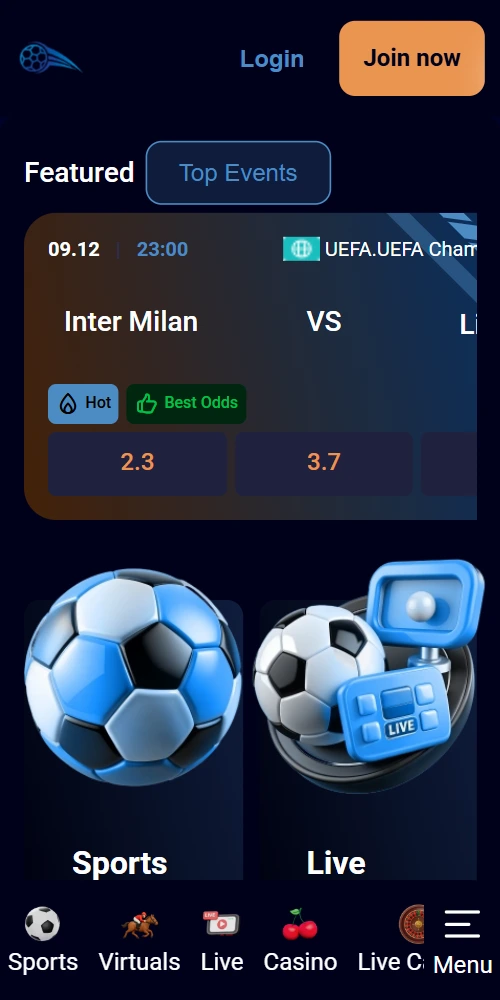
Installing Semobet on Android Devices
Android users access the Semobet progressive web app directly through Chrome or any mobile browser—no Google Play download necessary. The installation takes under 60 seconds and creates a home screen shortcut identical to native applications. System requirements include Android 7.0 or newer with at least 100MB free storage space.
- Open Chrome browser on your Android phone and navigate to semobetkenya.com
- Tap the three-dot menu icon in the top-right corner of your browser
- Select "Add to Home Screen" from the dropdown options
- Customize the app name (default is "Semobet Kenya") and punch "Add"
- Locate the new icon on your home screen and tap to launch
- Log in with your existing credentials or complete registration if you're a new player
The Android version supports push notifications for bet settlements, bonus offers, and live match updates. Enable notifications in your device settings under Apps > Semobet Kenya > Permissions. Updates apply automatically when you launch the app—no manual downloads required.
Install Android AppSetting Up Semobet on iPhone and iPad
iOS users install the progressive web app through Safari browser with similar functionality to App Store applications. The process works on iPhone 6S and newer models running iOS 12.2+, plus all iPad versions from 2017 onwards. Installation requires approximately 80MB of available storage.
- Launch Safari browser (not Chrome or Firefox) on your iOS device
- Visit semobetkenya.com and wait for the page to load completely
- Tap the Share icon (square with upward arrow) at the bottom of the screen
- Scroll down and select "Add to Home Screen" from the share menu
- Confirm the app name and punch "Add" in the top-right corner
- Find the Semobet icon on your home screen alongside other apps
The iOS version maintains your login session and remembers betting preferences. Face ID and Touch ID authentication work for secure account access. Safari-based installation means the app updates seamlessly in the background without user intervention.
Offline Bet Slip
Build your accumulator with unstable connections; bets queue and submit when signal returns
Instant M-Pesa
Deposit and withdraw directly through mobile money without switching apps
Live Alerts
Get notifications for goals, match results, and promotional offers
Full Casino Access
Play 800+ slots and live dealer games with mobile-optimized controls
Low Data Usage
Compressed graphics consume under 5MB per hour of active betting
Biometric Login
Fingerprint and face recognition for quick secure authentication
Mobile App Performance on Kenyan Networks
Semobet's progressive web app operates efficiently on Safaricom, Airtel, and Telkom Kenya networks—even with 3G connectivity. Page load times average 2-3 seconds on 4G and 4-6 seconds on 3G connections. The platform uses adaptive compression that adjusts image quality based on detected bandwidth.
Data consumption stays minimal compared to native applications. An hour of sports betting uses approximately 4-6MB, while casino gameplay consumes 8-12MB depending on graphics intensity. Live streaming for selected football matches requires 15-20MB per hour at standard definition. Background data usage is negligible when the app isn't actively open.
Battery optimization ensures the app doesn't drain power excessively. Most users report 3-4 hours of continuous betting on a full charge with screen brightness at 50%. The app enters low-power mode automatically when running in the background, and you can disable push notifications to extend battery life further.
Key Differences Between Mobile and Desktop
The mobile interface prioritizes speed and touch navigation while maintaining all core functionality from the desktop version. Sports betting markets, casino games, payment options, and customer support channels remain identical across platforms. Account balances sync in real-time—deposits made on mobile appear instantly on desktop and vice versa.
Layout adaptations include simplified menus with fewer clicks required to place bets. The mobile bet slip floats at the screen bottom for easy access during live matches. Casino games load in portrait or landscape orientation depending on your preference. Withdrawal requests process at the same speed regardless of which platform you use.
Mobile Advantages
- M-Pesa integration within the app interface
- Push notifications for live bet updates and bonuses
- Biometric authentication (fingerprint, Face ID)
- GPS-based location verification for compliance
- One-tap bet placement on pre-selected favorites
- Offline bet slip that queues wagers during connection drops
Desktop Advantages
- Larger screen displays more markets simultaneously
- Multi-tab browsing for comparing odds across events
- Keyboard shortcuts for faster navigation
- Detailed statistics and match visualizations
Mobile App Questions
Yes, the progressive web app is completely free with no download fees or subscription charges. You only pay for deposits into your betting account—installation costs nothing and requires no payment information.
The app functions internationally but betting services are restricted to users physically located in Kenya due to BCLB licensing requirements. GPS verification confirms your location when placing wagers. M-Pesa deposits only work with Kenyan mobile numbers.
Progressive web apps update automatically each time you launch them. No manual updates or app store downloads are necessary. When Semobet releases new features, they appear immediately upon your next login.